
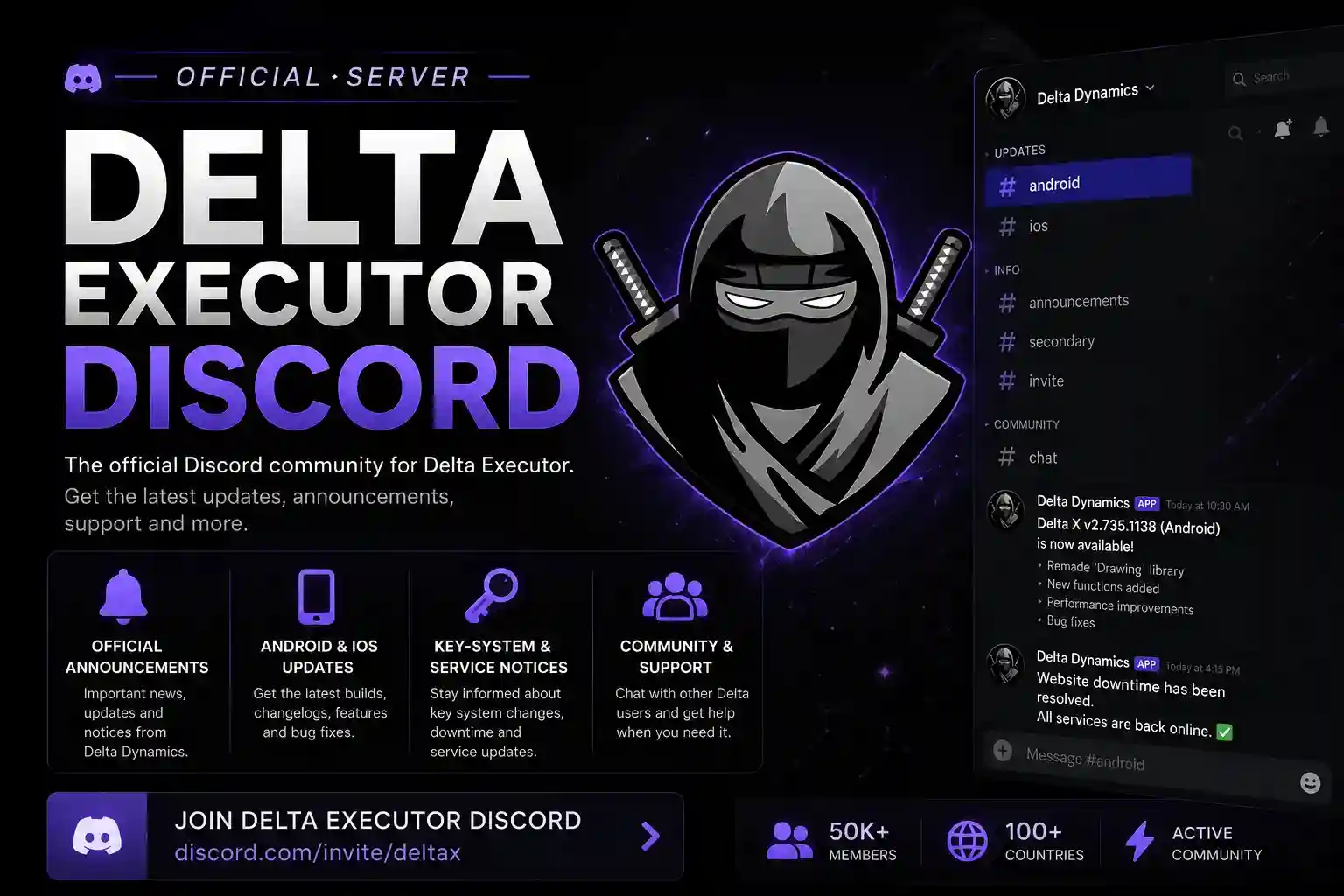
The Delta Executor Discord server is the official Discord community for Delta. The Delta Dynamics team uses it to share updates, announcements, and important information with users.
Separate Android and iOS channels post new Delta versions and changelogs, including new features, compatibility changes, performance improvements, and bug fixes.
You can also find key-system notices, support information, bug reports, and service updates in the server.
Join the Official Delta Executor Discord Server
Use the button below to join the official Delta Executor Discord server. Discord will open the invite in your browser or app, where you can accept it and enter the Delta community.
What Is the Delta Executor Discord Server?
The Delta Executor Discord server is the main community space used by Delta users, moderators, and developers.
It separates information into different channels so users can follow announcements, platform updates, bug reports, and other Delta-related discussions without mixing everything together.
The server mainly helps users stay connected with current Delta development and find the right channel for the information they need.
Channels Inside the Delta Discord Server
The Delta Discord organizes its server into Updates, Info, and Community sections, so you can quickly find what you need.
- #android — Android release updates and changelogs.
- #ios — iOS release updates and changelogs.
- #announcements — Important Delta news and official notices.
- #secondary — Other notices that do not belong in the main announcement channel.
- #invite — Discord invite information.
- #chat — The community channel where members can talk.
Why Join the Delta Executor Discord?
The main reason to join is to keep up with Delta when something changes. Delta Dynamics team posts new releases, fixes, maintenance notices, and other important updates in the server.
Android and iOS users can follow their own update channels instead of checking random websites or posts to see whether a new build has been released.
You can also use the community chat to talk with other Delta users, while official notices stay separated in the announcement channels.
Android and iOS Update Announcements
Delta uses separate #android and #ios channels for platform updates. When the developers release a new Delta version, they post the version information and its changelog in the matching channel.
The changelogs show what changed in that release, such as new or updated functions, compatibility changes, performance improvements, and bug fixes.
This way, users can check the correct update channel whenever they want to see the latest Delta release and what changed, without us mentioning a version number that will become outdated.
Key-System and Service Notices
The Discord server also shares important notices when something changes with Delta’s key system or online services. This can include temporary key changes, website problems, downtime, or other issues affecting users.
For example, Delta has previously used the announcements channel to explain temporary key-system changes and confirm when website downtime was resolved.
Checking these notices can help you understand whether a problem is affecting Delta itself instead of only your device.
Bug Reports and Support
If Delta crashes or something does not work correctly, the Discord can also help users report bugs and crashes. Delta’s announcements have specifically directed users to contact the team for general questions and bug reports.
Before reporting a problem, check the #announcements, #android, or #ios channel. The developers may have already posted information about the issue or an upcoming fix.
Development and Downtime Announcements
The #announcements channel is also where the Delta team posts bigger development news. This includes temporary downtime, website issues, delayed releases, and major changes being worked on behind the scenes.
These posts are useful when Delta suddenly stops working or an expected update takes longer than usual, as the team can explain what is happening and when users should expect more information.
How to Avoid Fake Delta Discord Servers
Fake Delta servers can copy the name, logo, and channel style of the real community. Avoid joining Delta Discord through random YouTube comments, social media replies, or unknown websites.
Use a verified Delta Discord invite and be careful with files or links posted by unknown members. If you only need Delta itself, use our dedicated Android or iOS download pages instead of downloading files sent by random Discord users.
Frequently Asked Questions
Find quick answers about the Delta Executor Discord server, including how to join, Android and iOS updates, keys, invite links, and common Discord issues.
What is the official Delta Executor Discord server?
The official Delta Executor Discord is the Delta Dynamics community. It is used for Delta announcements, Android and iOS updates, service notices, and community discussions.
What is the Delta Executor Discord used for?
Delta Discord is mainly used for release updates, changelogs, announcements, key-system notices, bug information, and community discussions.
Is the Delta Executor Discord free to join?
Yes. Joining the Delta Executor Discord server is free. You only need a Discord account to accept the server invite.
How do I join the Delta Executor Discord server?
Click the Join Delta Discord button on this page and accept the invite when Discord opens. You can join through the Discord app or your browser.
Does Delta Discord post Android updates?
Yes. The #android channel is used for Android release updates and changelogs, including new features, improvements, and bug fixes.
Does Delta Discord post iOS updates?
Yes. The #ios channel contains iOS release updates and changelogs so users can check what changed in new Delta releases.
Where can I find Delta announcements?
Check the #announcements channel for important Delta news, service notices, development information, and other official updates.
Can I get a Delta key from Discord?
Discord may contain key-system notices and information, but joining the server does not automatically give you a Delta key. Follow the current Delta key process when a key is required.
Why is my Delta Discord invite not working?
A Discord invite can stop working if the link expires, changes, or is replaced. If that happens, return to a trusted Delta source and check for the current invite instead of using random links.
Are there fake Delta Executor Discord servers?
Yes, fake communities can imitate Delta’s name and appearance. Avoid unknown invite links, suspicious downloads, and anyone asking for passwords or other private account information.
Do I need to join Discord again after a Delta update?
No. A new Delta version does not require you to rejoin the Discord server. Once you have joined, you remain a member unless you leave or lose access to the server.
Can I join Delta Discord without downloading Delta Executor?
Yes. Discord and Delta Executor are separate applications, so you can join the community without first installing Delta Executor.
Do I need Discord Nitro to join Delta Discord?
No. Discord Nitro is not required to join the Delta Executor Discord server.